
What a Website Assistant Should Do, and What It Should Not
More small business websites now have a chat assistant in the corner. The useful ones follow a few simple rules: answer from facts the business has approved, say when they do not know, and hand over to a person without pressure. Here is how to tell a good one from a bad one.
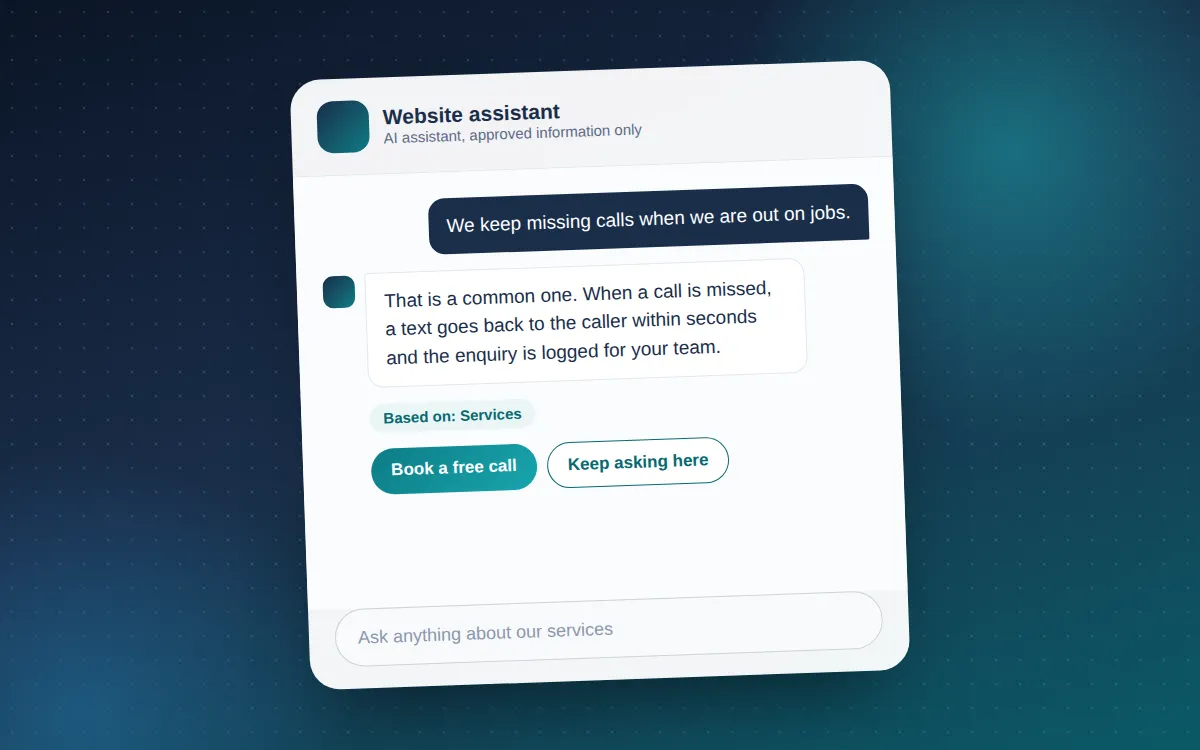
A website assistant is the small chat window that answers questions while your team is busy or the office is closed. Done well, it saves people a phone call and saves you a morning of replying to the same three questions. Done badly, it makes things up, pushes for a sale and sends visitors away annoyed. The difference is not the technology. It is the rules you give it.
What a good assistant does
It answers from facts you have approved. Your services, where you work, how to get in touch, what happens after someone enquires. That information lives in a short document the business controls, and the assistant is told to use nothing else. When your opening hours or services change, you change the document and the assistant changes with it.
It says when it does not know. A visitor who asks about something outside the approved facts should hear a plain "I do not have that information", followed by an offer to pass the question to the team. That is more useful, and more trustworthy, than a confident guess.
It makes the next step easy without forcing it. If someone describes a problem, the assistant can mention that a free call is available and explain what it covers. If they say they are only looking, it should drop the subject and carry on being helpful. Nobody should feel chased by a chat window.
It hands over cleanly. When a question needs a person, the assistant collects a name, an email address and the question itself, asks for consent to use those details, and confirms a reference once the message has been accepted for delivery. The visitor knows what was sent and where.
What it should never do
- Invent prices, timescales or results. If the business does not publish a figure, the assistant must not produce one. Quoting happens after a conversation with a person who understands the job.
- Pretend to be human. Visitors should be told they are talking to an AI assistant, and the privacy policy should explain where their messages go.
- Use pressure. No "limited slots", no "book now", no repeating the same suggestion in every reply. One clear offer, then leave it with the visitor.
- Collect details in the chat. Personal details belong in a proper form with a consent box, not scattered through a conversation.
- Say a message was sent when it was not. If the email service fails, the visitor should be told and given a direct email address instead.
How to set one up well
- Write the facts first. List what the assistant may say about your business, and just as importantly what it may not. Keep it short enough to read in ten minutes.
- Decide where questions go. New enquiries and existing client support usually belong in different inboxes. Set that routing before anything goes live.
- Test the tone before launch. Give it the awkward questions: the price question, the guarantee question, the person who is only browsing. Read the replies as a customer would.
- Keep the keys out of the website. The AI provider and email service keys should live on the server, never in the page code where anyone can read them.
- Review the thumbs-down replies. Let visitors rate answers, then improve the facts document rather than patching individual replies.
How Deeray Multimedia can help
We build website assistants that work the way this article describes: they answer from an approved facts file, say when they do not know, mention a free call once at most and forward questions to the team with the visitor’s consent. We do this for client websites as part of the AI assistants service, and we write the facts file and the tone rules with you before anything goes live.
Frequently asked questions
Does an assistant replace the contact form?
No. The form stays for people who prefer to write, and the assistant uses the same delivery route when it forwards a question.
What happens to the conversations?
They are sent to an AI provider to generate replies and kept only as long as your privacy policy says. Choose a provider whose terms do not use them to train its models.
Can it book appointments?
It can point people to your booking page or contact form and explain what happens next. Whether it books directly depends on your booking tool and is agreed per project.